Trainly test · for invited testers
Get on board in five stops
Trainly is where our community plans raid trains: who streams when, and who raids whom next. This guide takes you from no account to a seat on the train. It takes about five minutes.
First visit slow? The test site sleeps when nobody uses it. The first page can take up to a minute to appear. Wait, don't refresh repeatedly.
-
Create your account with Twitch
About 1 minute · no new password
- Open the test site and press Sign in.
- Press Sign in with Twitch.
- Twitch opens and asks whether Trainly may connect. Check that it says Trainly, then approve. If you aren't signed in to Twitch, it asks you to sign in first.
- You land back on Trainly's Home. Your account now exists, with your Twitch name and picture.
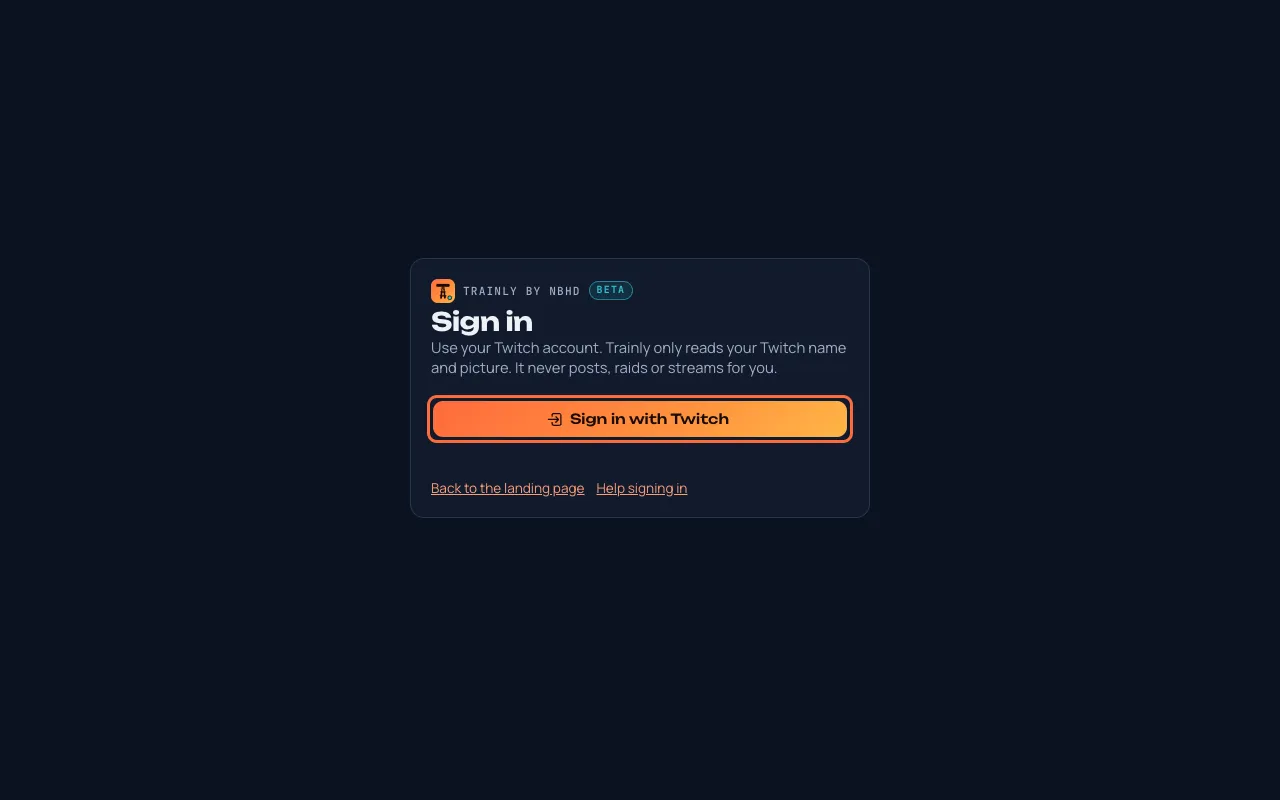
Press Sign in with Twitch (outlined in coral). Trainly only reads your public Twitch name and picture. It never posts, chats, raids or streams for you, and it never sees your Twitch password.
-
Set your timezone
30 seconds · so slot times are in your time
- In the menu, open Account. On a phone, press ☰ first.
- Press Use my device timezone.
- Press Save account.
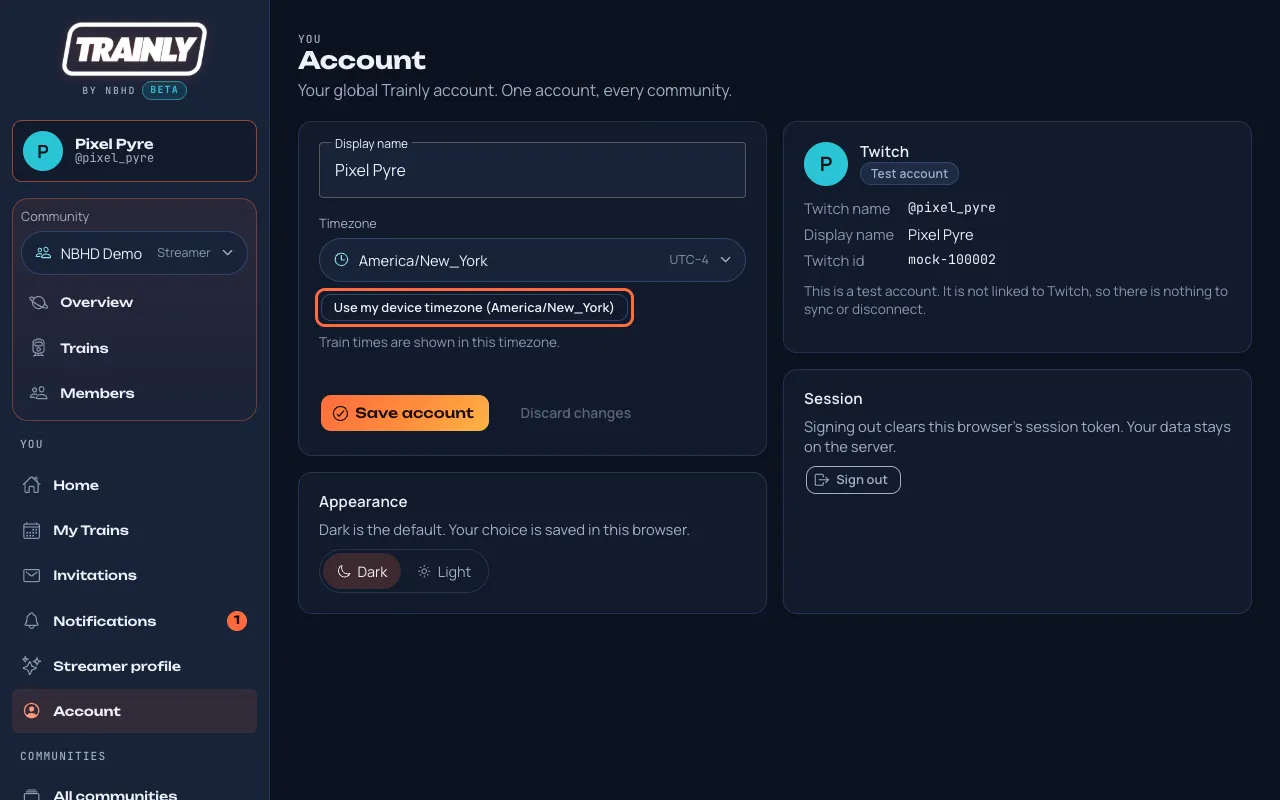
New accounts start on UTC. One press fixes it. -
Join our community
About 1 minute · use whichever fits: a link, a code, or just the community's name
You got a personal invite link
- Open the link (it contains
/invite/). - If you're signed out, press Sign in to accept and sign in with the Twitch account the invite names.
- Press Join followed by the community's name.
You got a community code
- In the menu, open Join by invite code.
- Type the code into Community code and press Look up.
- Press Join as Streamer. If it says Ask to join, press that and wait for a moderator.
You only know the community's name
- In the menu, open All communities (on a phone, Communities in the bottom bar).
- Type part of the name in Find a community and press the community in the list.
- Read its description, then press Request to join and wait for a moderator. If it says Join community, you're in right away.
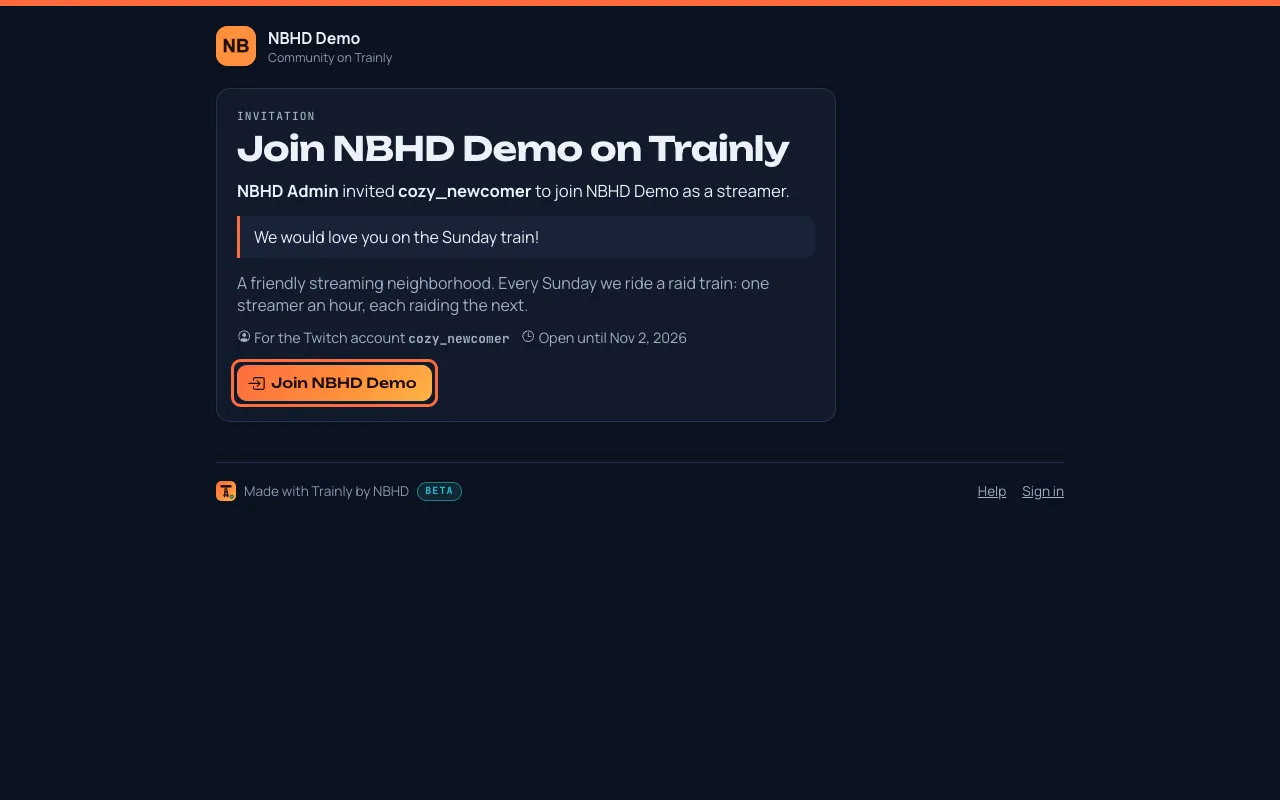
An invite link, opened while signed in with the right Twitch account. The demo community here is NBHD Demo; yours will show our community's name. 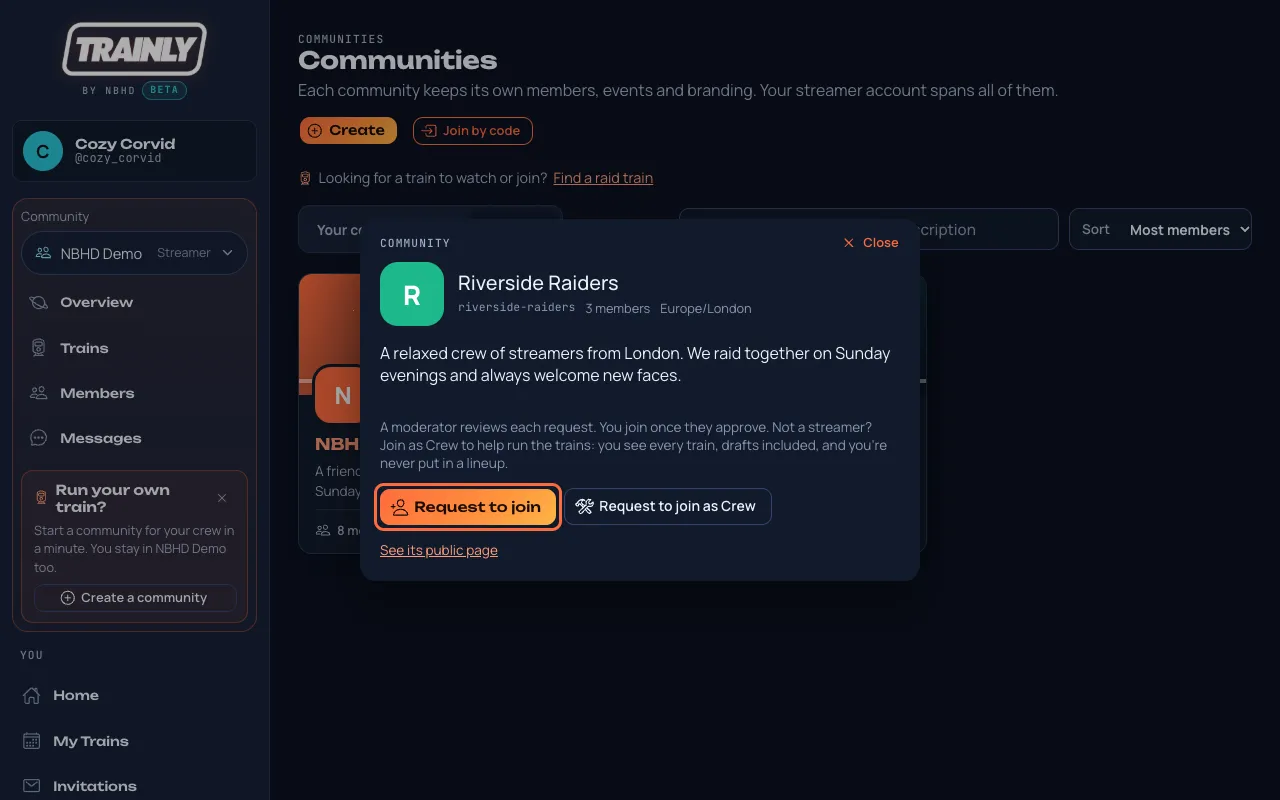
Found the community by its name? Read about it, then press Request to join (outlined in coral). An invite link works only for the Twitch account it was made for, within 14 days, and only once. A request to join waits until a moderator approves it; you get a notification either way.
- Open the link (it contains
-
Take your slot on the train
About 1 minute · an invitation, a reserved slot, or an open slot you ask for
Once you're in the community, there are three ways onto a train. The most common: Randall invites you to a slot. Then:
- Open Invitations in the menu. On a phone, it's Invites in the bottom bar. A number shows when something is waiting.
- The card shows the train, your slot and its time in your timezone. Read Answer within…: after that the invitation expires.
- Press Accept to take the slot, or Decline if you can't make it.
- If the card says Pick a slot, choose a time from the slot list first, then press Accept. The first person to accept a slot gets it.
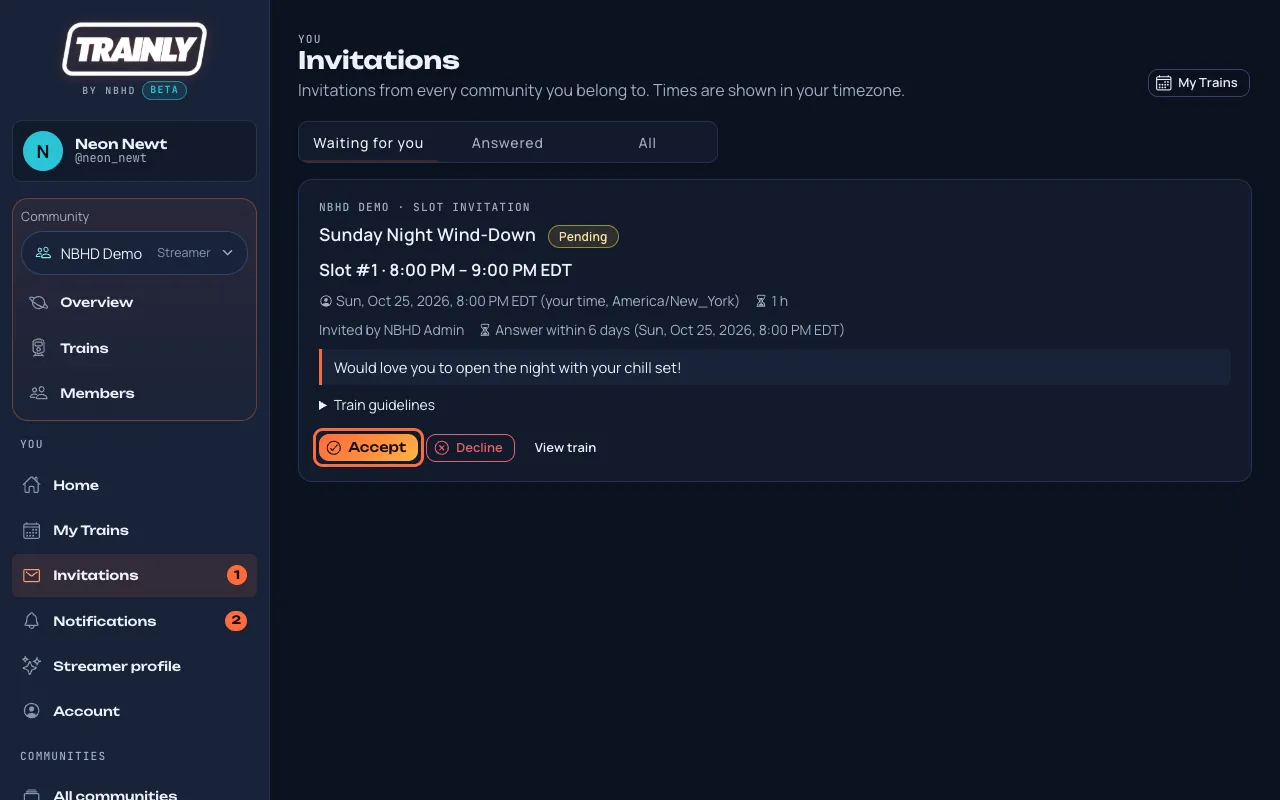
An invitation waiting for your answer. A slot is reserved for you
- On Home, Upcoming trains says Slot #… reserved for you.
- Press Accept slot, or Decline if you can't make it.
You want an open slot
- Open the train (from Home, or the community's Trains tab).
- Next to Open slot. Want it?, press Come aboard, add a note if you like, and send it. An organizer accepts or declines.
-
Check you're on the lineup
30 seconds
- Open My Trains (on a phone, Trains in the bottom bar).
- Your slot is listed under Upcoming with your start and end time.
- Press View train to see the whole lineup and the train's guidelines.
- Want every train of the community, past and upcoming? Open the community and press its Trains tab, next to Members.
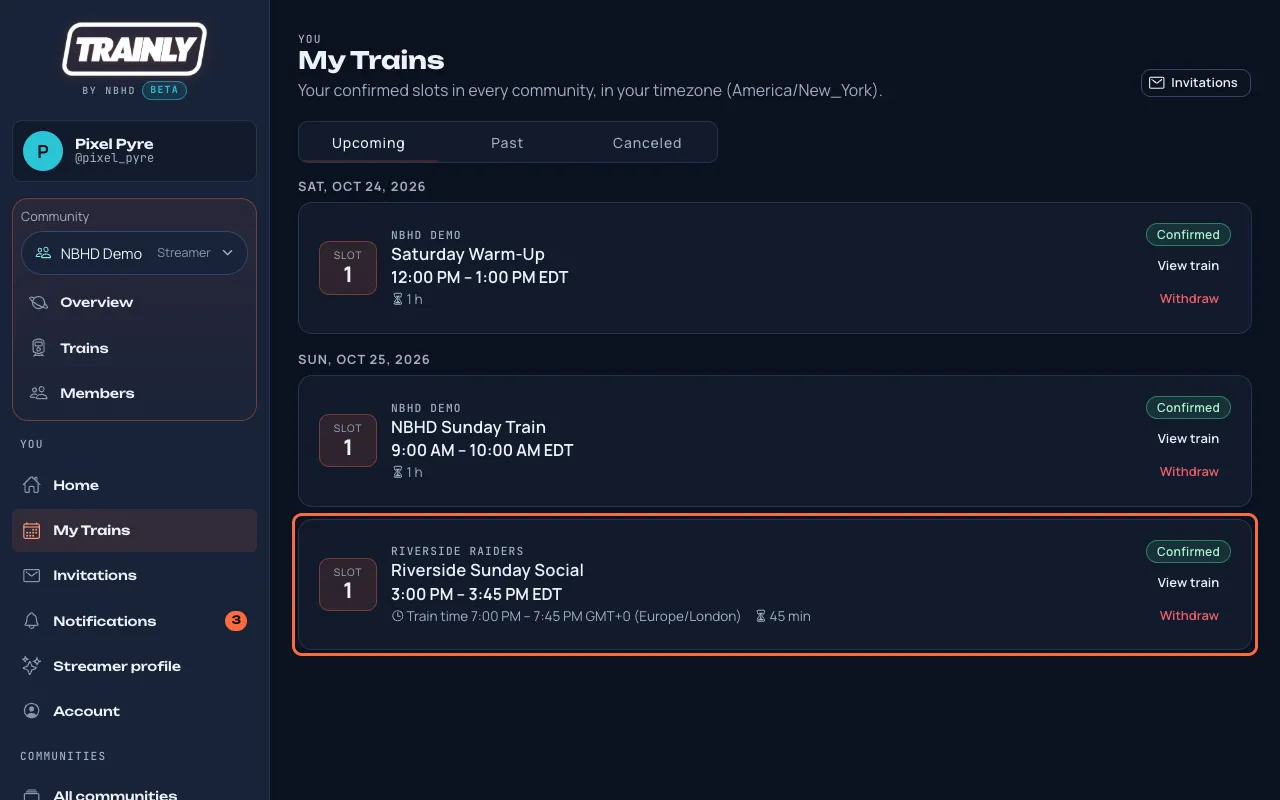
Every slot you've accepted, in your own time. Optional: open Streamer profile and add a short bio and your category. Organizers read it when they build lineups. Your Twitch picture now shows next to your name in the lineup and on the train's public page, the link Randall shares with viewers.
If something goes wrong
- "Sign-in canceled" or "This sign-in link has expired"
- The Twitch page was closed, took longer than 10 minutes, or was finished in another tab. Go back to the test site and press Sign in with Twitch again from one tab.
- "This invite is for the Twitch account …, but you're signed in as …"
- You're signed in with another Twitch account. Press Sign out on that page, then sign in with the account the invite names.
- The invite was withdrawn, has expired or was already used
- Ask Randall for a new link. Links last 14 days and work once.
- "No community with that code"
- Check the spelling. Codes are lowercase letters, numbers and dashes, with no spaces.
- "No community matches …" in Find a community
- Type at least two letters of its name, or check the spelling. Still nothing? Ask Randall for the community code.
- "This community isn't taking requests right now"
- It only lets people in with a personal invite link. Ask Randall for one.
- Nothing under Invitations
- Randall hasn't invited you to a slot yet, or you joined after he sent the invitations. Message him your Twitch name.
- Times look a few hours off
- Your timezone is still UTC. Do stop 2 again.
Tell us what you find
This is a test. If anything is confusing, broken or slow, message Randall with a screenshot, what you pressed and what you expected. Short notes are perfect.